
Are you looking for an easier, more efficient way to plan journeys, find places and navigate unfamiliar locations? Google Maps continues to evolve, with new features designed to make travelling and route planning more useful for drivers, electric vehicle (EV) owners and other road users.
The latest Google Maps features include fuel-efficient routing based on your vehicle type, tools for finding compatible EV charging stations and information about low-emission zones. In 2026, Google has also introduced new AI-powered features through Gemini, including conversational search and an updated navigation experience designed to provide more detailed information about the road ahead.
Whether you are looking for a new restaurant, planning a long-distance journey or trying to avoid unexpected charges, Google Maps can provide useful information before and during your trip.
Here is everything UK drivers need to know about the latest Google Maps features in 2026.
Google Maps will show you fuel-efficient routes based on your car’s fuel type
Google Maps can take your vehicle’s engine type into account when suggesting a fuel-efficient route. Alongside the fastest route, Maps can highlight a more fuel or energy-efficient alternative where one is available.
Google says its calculations consider factors including real-time traffic, road conditions, road type and the steepness of hills. The most efficient route can also vary depending on whether you drive a petrol, diesel, hybrid or electric vehicle.
This feature is useful for drivers who want to compare routes with fuel or energy efficiency in mind. Google Maps can highlight the most efficient option when it has a similar arrival time to the fastest route. Where there is a significant difference in journey time, it can instead show the relative fuel or energy savings between routes.
For more information about fuel economy itself, see our guide to what MPG means.
For EV drivers, there is also an important limitation. Google’s energy-efficient routes do not include charging stops, so longer EV journeys may need to be planned using Google’s separate charging and battery-planning features.
If you are considering changing your vehicle rather than simply changing your route, our guide to fuel-efficient cars looks at some of the options available to drivers focused on fuel economy.
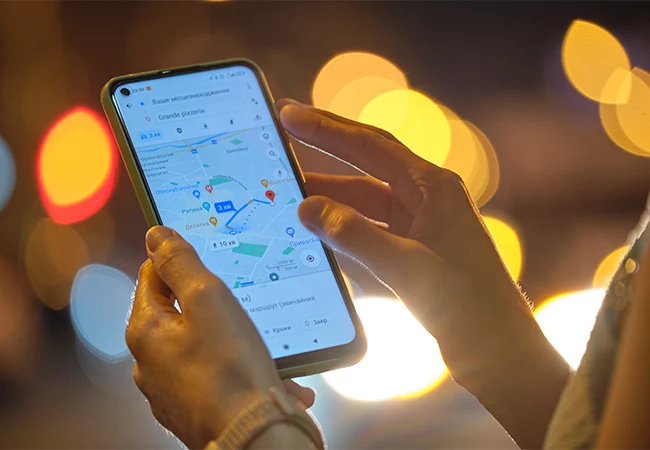
How to Use It:
- Open the Google Maps app on your mobile device.
- Tap your profile picture or initial and select Settings.
- Select Navigation.
- Scroll to Route options.
- Turn on Prefer fuel-efficient routes.
- Go to Your vehicles and select the engine type that matches your car: Petrol, Diesel, Hybrid or Electric.
Once enabled, Google Maps can highlight the most fuel or energy-efficient route with a leaf symbol. The precise options available can vary between locations and devices.
Get Informed about Electric Charging Stations
Google Maps is becoming increasingly useful for EV drivers. You can create a vehicle profile, specify that you drive an electric vehicle and, where supported, add information about your EV and its compatible charging plugs. This allows Google Maps to make charging station searches more relevant to your vehicle.
To find a compatible charging station, search for charging stations in Google Maps. EV drivers can then use the plug filter to find chargers that are compatible with their vehicle.
For some compatible EVs, Google Maps can also provide an estimated battery level for a journey. Availability depends on the vehicle, country and software being used, so the experience is not identical for every driver.
Google has also continued to develop EV journey planning in 2026. On supported vehicles, Google Maps can use information such as battery level and route conditions to help drivers plan charging stops and understand how much charge they may have when they arrive.
The exact functionality available will depend on your vehicle, device, software version and location. Some of Google’s newest EV planning features have also been introduced in selected markets before wider rollout.
For a practical guide covering the wider process of how to charge an electric car, including different charging options, see our dedicated Stoneacre guide.
Planning charging stops is only one part of preparing for a longer EV journey. You can also read about ways to increase your electric car range.
How to Use It:
- Open Google Maps and tap your profile picture or initial.
- Select Settings, followed by Your vehicles.
- Set your engine type to Electric.
- If available, add your EV’s make, model, year and trim.
- Check that your vehicle’s charging plugs are correct.
- Search for charging stations.
- Use EV plugs to filter results for compatible connectors.
For longer journeys, check any estimated battery information and charging recommendations shown by Google Maps where those features are supported.
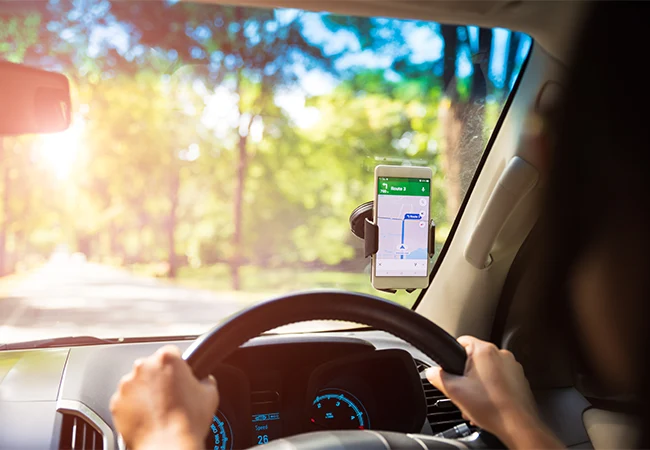
Google Maps introduces new AI-powered navigation features in 2026
One of the biggest Google Maps developments in 2026 is the growing use of Google’s Gemini AI.
Google introduced Ask Maps, a conversational feature that lets users ask more detailed questions about places and receive answers and recommendations through Google Maps. It is designed to handle more complex requests than a traditional Maps search and can help users discover places based on specific requirements.
Google has also introduced Immersive Navigation, which gives the driving experience a more detailed visual presentation. It can provide enhanced information about the road ahead, including details that can help drivers prepare for more complex parts of a journey.
Google is also bringing Gemini into navigation, allowing users to ask questions while driving, walking or cycling on supported devices and in supported locations. Feature availability varies, so UK users may not see every AI function immediately.
These developments mean Google Maps is becoming more than a traditional turn-by-turn navigation app. It is increasingly being used as a tool for planning, discovery and personalised journey information.
Google Maps will notify you if you are passing through an Ultra Low Emissions Zone (ULEZ)
Google Maps can provide information about routes that pass through low-emission zones, helping drivers identify journeys that could be affected by emissions restrictions.
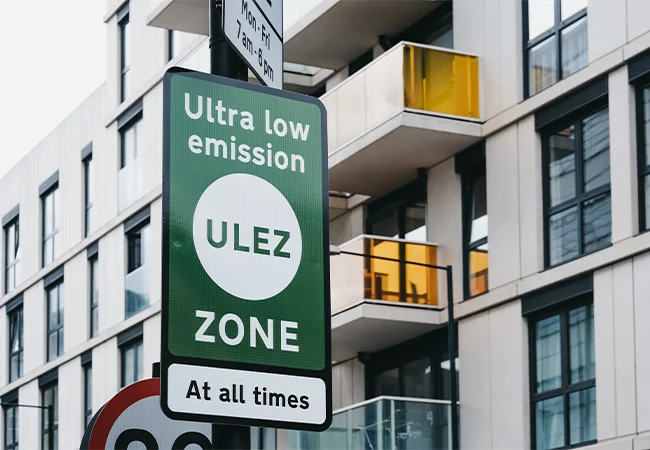
For UK drivers, it is important to understand that ULEZ refers specifically to London’s Ultra Low Emission Zone. Other parts of England use Clean Air Zones, while other parts of the UK have different low-emission schemes.
You can read our dedicated guide to Clean Air Zones for a more detailed explanation of how these schemes work and where they operate.
London’s ULEZ currently operates across all London boroughs and does not include the M25. It operates 24 hours a day, every day of the year except Christmas Day. If your vehicle does not meet the relevant emissions standards and is not exempt, the ULEZ charge is £12.50 per day.
For cars, the main ULEZ emissions standards are Euro 4 for petrol vehicles and Euro 6 for diesel vehicles. Drivers should check their individual vehicle with TfL rather than relying on Google Maps alone.
Google Maps can help you identify a route that may enter a restricted area, but it should not be treated as confirmation that you will or will not have to pay a charge. Always check the official TfL or GOV.uk service before travelling.
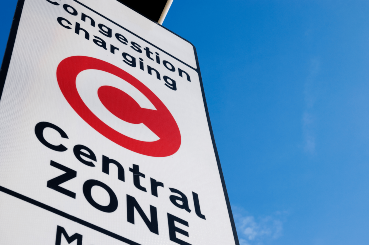
If you are driving into central London, it can also be useful to check whether the London Congestion Charge applies to your journey, as this is separate from ULEZ.
Important: ULEZ and Clean Air Zone rules can change, and different schemes have different standards, charges and exemptions. Always use the official vehicle checker for the area you are travelling through.
How to Use It:
- Enter your destination into Google Maps.
- Review the available routes and look for low-emission zone information.
- If your journey enters a restricted area, check which scheme applies.
- For London, use the official TfL vehicle checker to confirm whether your vehicle meets the ULEZ standards.
- For Clean Air Zones in England, use the GOV.UK service to check whether your vehicle needs to pay.
In conclusion, Google Maps has become considerably more than a simple navigation tool in 2026. Fuel-efficient routing can help drivers compare journeys based on their vehicle type, while EV tools make it easier to locate compatible charging stations and, for supported vehicles, plan longer trips.
Google’s growing use of Gemini is also changing how people interact with Maps. Ask Maps provides a more conversational way to explore places, while updated navigation features can provide more detailed information to help drivers prepare for their journeys.
For UK drivers, low-emission-zone information can also be useful when planning journeys through London and other areas with emissions restrictions. However, Google Maps should be treated as a navigation aid rather than the final authority on emissions regulations or driving charges.
Before setting off, check your vehicle settings in Google Maps and use the relevant official government or local authority service for any ULEZ or Clean Air Zone charges. With the right settings in place, Google Maps can make route planning more personalised, efficient and informative in 2026.
*Please note: features can vary according to your device, vehicle, country and app version.
Frequently Asked Questions
Does Google Maps show ULEZ routes?
Google Maps can provide low-emission-zone information as part of route planning, but drivers should use the official TfL vehicle checker to confirm whether their vehicle meets ULEZ requirements and whether a charge applies.
Does Google Maps tell you if you need to pay ULEZ?
Google Maps can help identify routes that enter low-emission zones, but the official TfL service should be used to confirm whether your vehicle is subject to the ULEZ charge.
Can Google Maps find EV charging stations?
Yes. Drivers can search for charging stations in Google Maps and, where supported, filter results by compatible EV plugs.
Can Google Maps plan charging stops?
Some compatible EVs and vehicles with Google Maps built in can use battery and charging information to help plan longer journeys. Availability depends on the vehicle, app, country and in-car system.
Does Google Maps offer fuel-efficient routes?
Yes. Google Maps can compare routes based on fuel or energy efficiency and can take your vehicle’s engine type into account. Supported engine types include petrol, diesel, hybrid and electric.
What is the difference between ULEZ and a Clean Air Zone?
ULEZ is London’s Ultra Low Emission Zone. Clean Air Zones are separate local schemes used in parts of England. The rules and charges depend on the individual scheme, so drivers should check the relevant official guidance.
Are all Google Maps features available on iPhone and Android?
Not necessarily. Feature availability can depend on the device, vehicle, country, region and software version. Some newer features are also being rolled out gradually.